AI Video Summary Generator
Turn a full transcript into a concise overview and key takeaways.
Sign up to try transcription for free.
Summarize a video or recording in three steps
- 1
Import and transcribe
Paste a public video or audio link, or switch to upload a local file. Complete the original transcript.
- 2
Choose a summary language
Open AI summary in the editor and select the language you want to read.
- 3
Generate and copy your summary
Read the overview and key takeaways, then copy the full result into your notes.

Get an overview and key takeaways
Generate an overview and a list of key takeaways from the full saved transcript of a long video or recording.
Choose the summary output language independently, then copy the complete result.
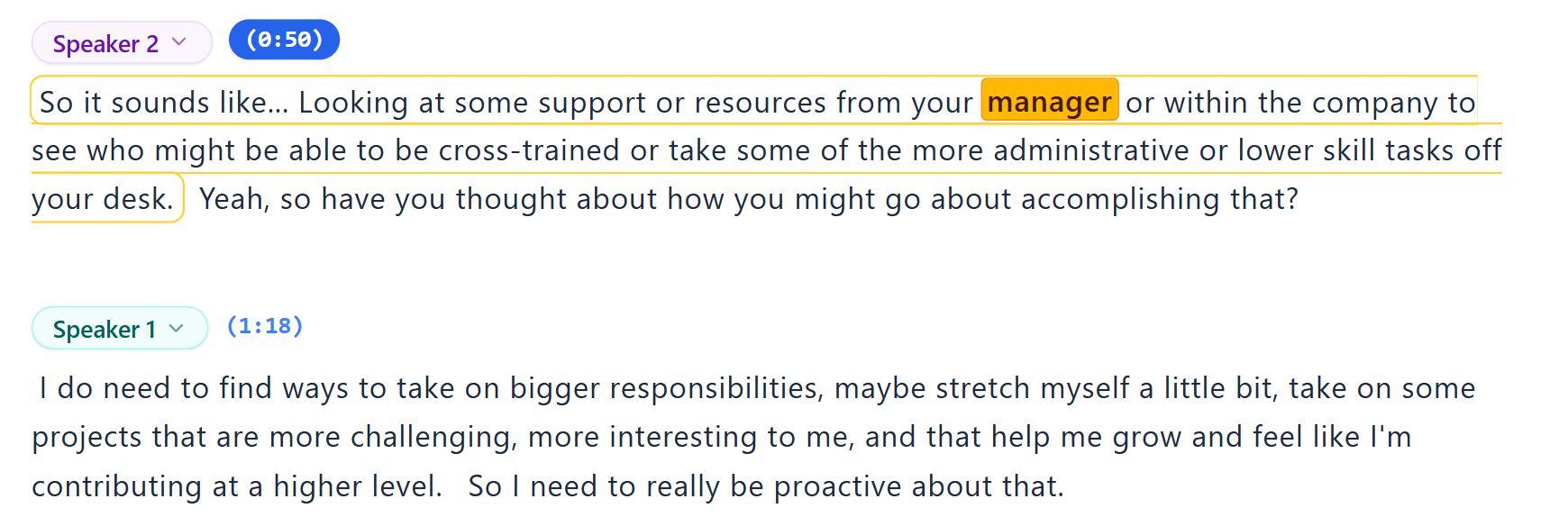
Search the transcript and replay key moments
Search for a keyword to find the relevant passage. Click its timestamp to jump to that point in the video, then play it to check the details.
Keep the key points from long videos
Read the overview and decide which parts to explore in detail.