Turn podcasts into editable transcripts
Transcribe podcast conversations in order, with timestamps.
Drop an audio or video file here, or click to browse
.mp3, .wav, .m4a, .aac, .flac
Three steps to a podcast transcript
- 1
Choose the audio and spoken language
Upload a podcast file or paste a direct audio link, then select the language spoken in it.
- 2
Review the text and speakers
Check the transcript against the audio. For conversations, review the speaker labels.
- 3
Download the transcript
Choose TXT or Word (DOCX) to export your saved transcript.
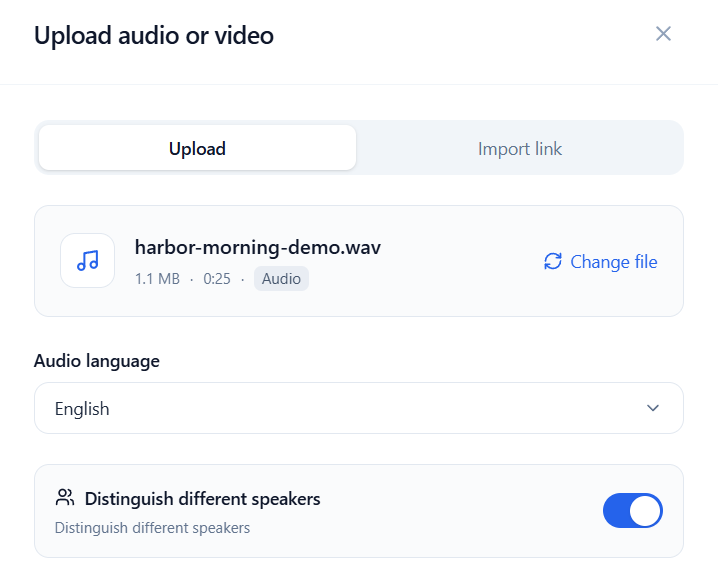
Follow conversations by speaker
Choose the spoken language and enable speaker distinction. After transcription, edit the speaker labels to identify the host and guests.
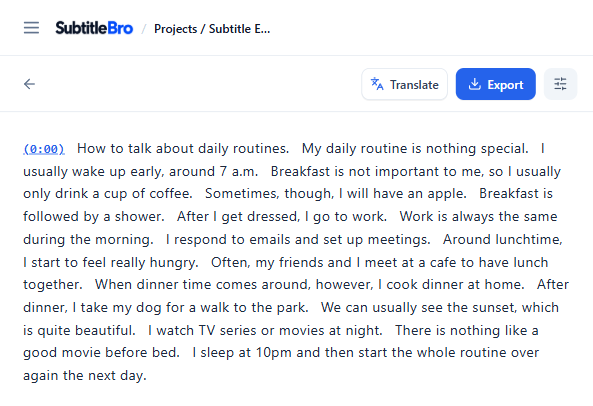
Replay the audio to check a quote
Click transcript text to replay the matching audio and check names, terms, and numbers. In the desktop editor, search for a keyword to find the passage you want to quote.
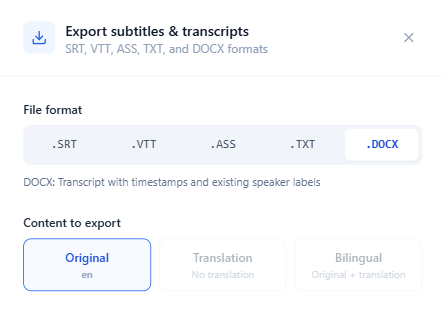
Export a TXT or Word transcript
TXT saves plain text for copying quotes.
Word (DOCX) keeps timestamps and any existing speaker labels. After downloading, edit and add comments in Word.
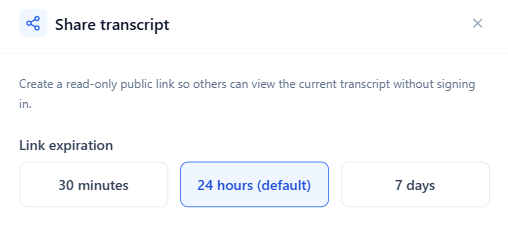
Listeners can read without signing in
Create a read-only transcript link and set an expiry time. Listeners can open it to read and copy the transcript.