Turn meeting recordings into editable transcripts
Turn spoken discussions into text you can search and edit.
Drop an audio or video file here, or click to browse
.mp3, .wav, .m4a, .mp4, .mov, .mkv, .webm
Organize meeting notes in three steps
- 1
Upload a meeting recording
Import an audio or video file and enable speaker distinction to label each speaker in the transcript.
- 2
Check the text against the recording
Click transcript text to jump to the matching audio. Replay it to check names and key figures.
- 3
Export the meeting transcript
Download plain-text TXT or a Word transcript with timestamps and speaker labels.
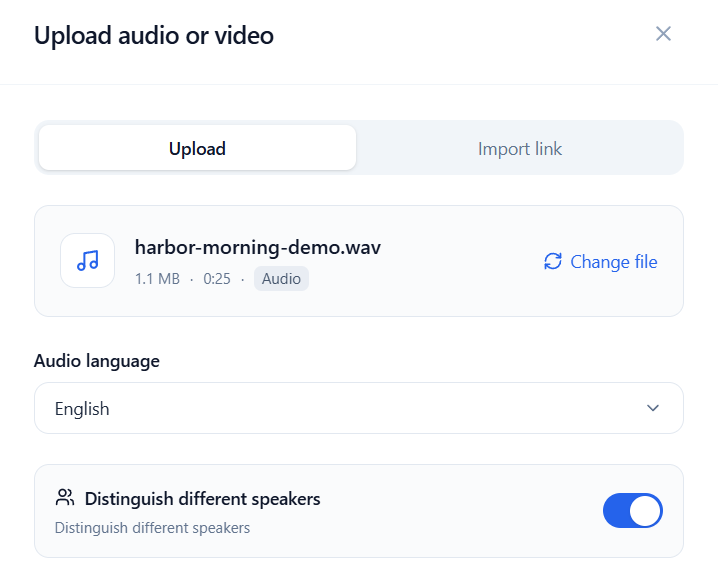
Label speakers in the discussion
Enable speaker distinction before transcription. Edit the labels afterward to add participants’ names.
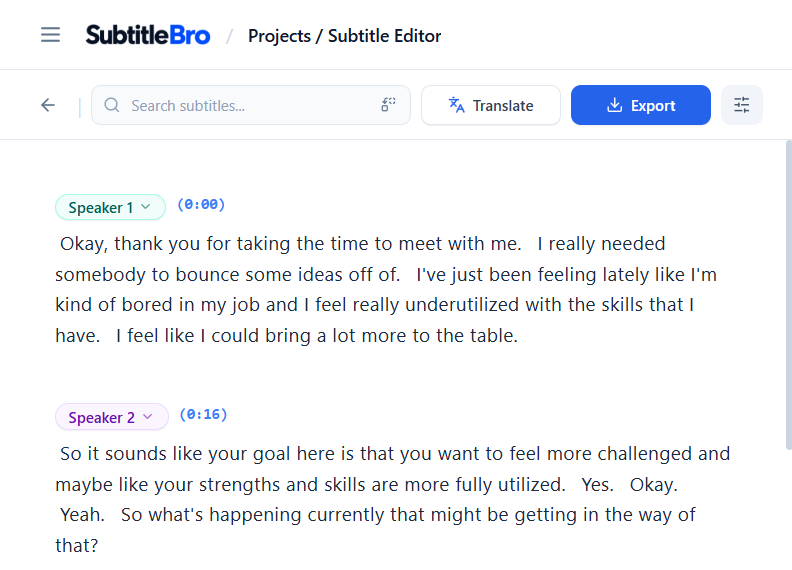
Replay a remark and check the wording
Click a passage to locate it in the recording, then play it back to check the words. Search the transcript for a topic or phrase.
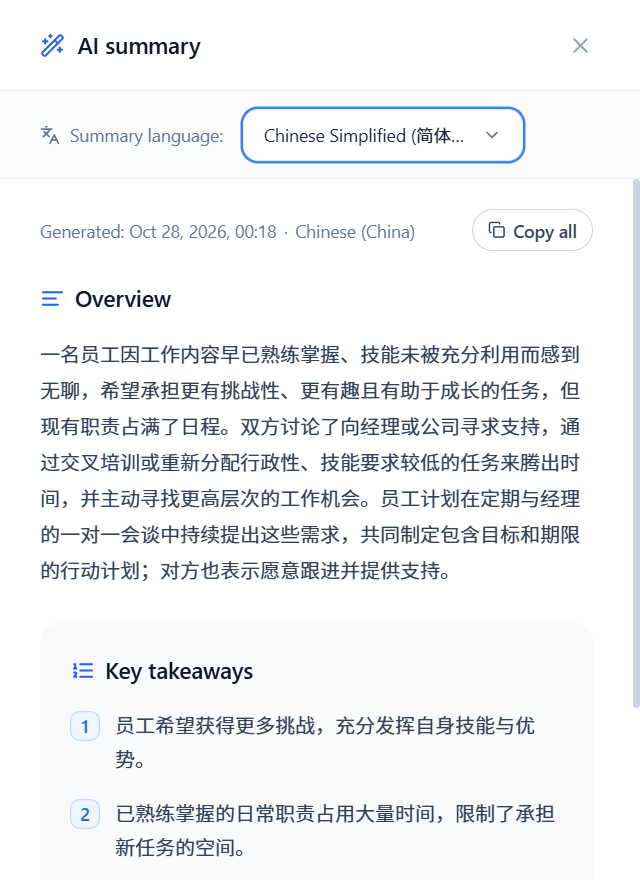
Extract the main points with AI
Generate an overview and key takeaways from the saved original transcript. Choose the summary language and copy the result into your meeting notes.
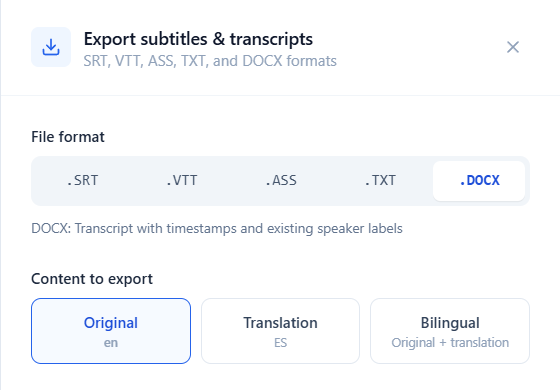
Export a TXT or Word transcript
TXT saves plain text for quoting directly.
Word (DOCX) keeps timestamps and existing speaker labels. Open the file in Word to edit and add comments.
Keep a written record of the discussion
Find the remarks that matter when you revisit a meeting.