Transcribe audio into editable text
Turn podcasts, interviews, lessons, and voice notes into text you can check against the recording.
Drop an audio or video file here, or click to browse
.mp3, .wav, .m4a, .aac, .flac
How to turn audio into text
- 1
Choose a recording
Upload a file and select the language spoken in it.
- 2
Review the words
Use timestamps to replay a passage and save corrections.
- 3
Download a transcript
Select the original text and export TXT or Word (DOCX).
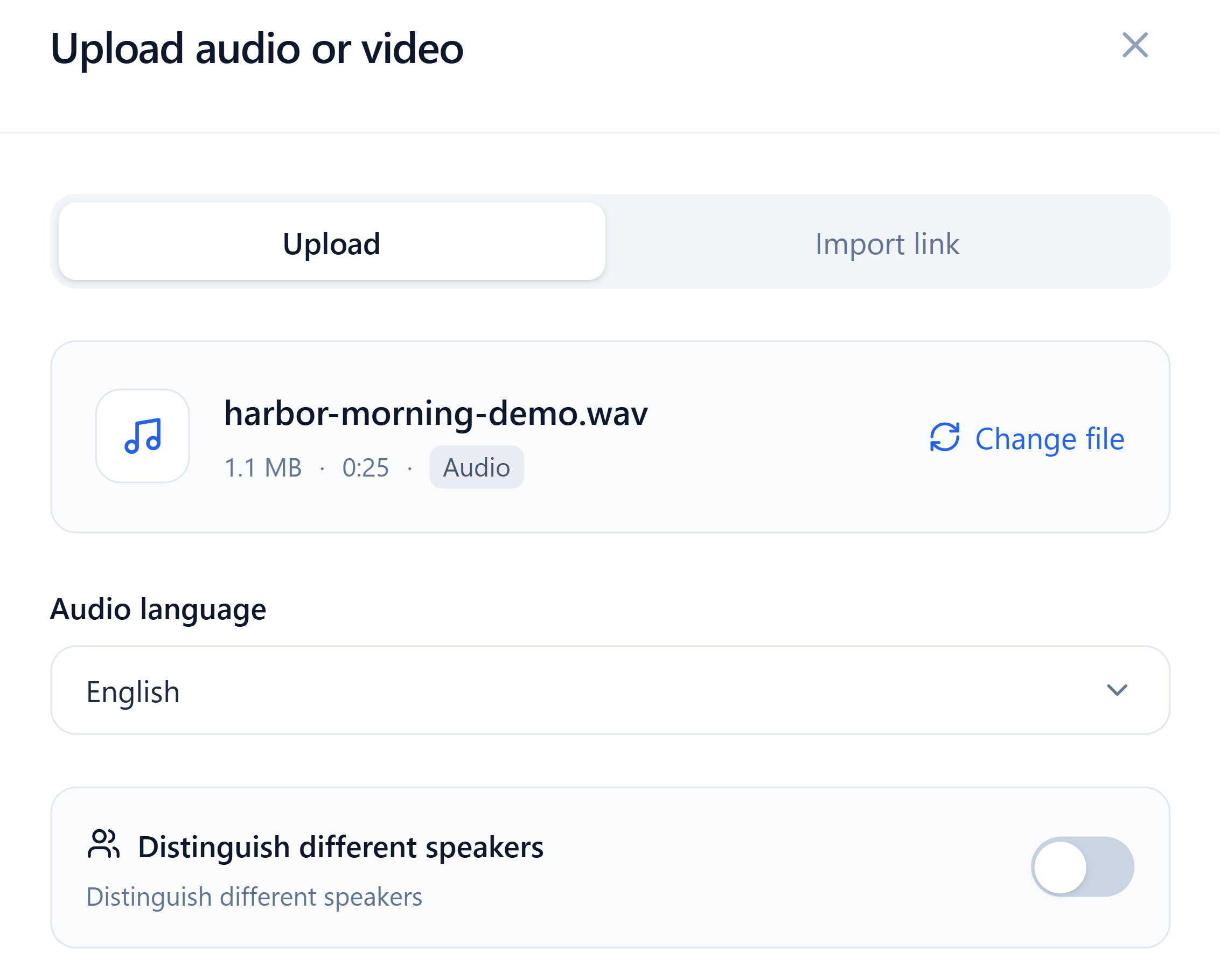
Set the language of your recording
The upload window shows the selected file and its spoken language. For an interview with several voices, switch on speaker identification before transcription.
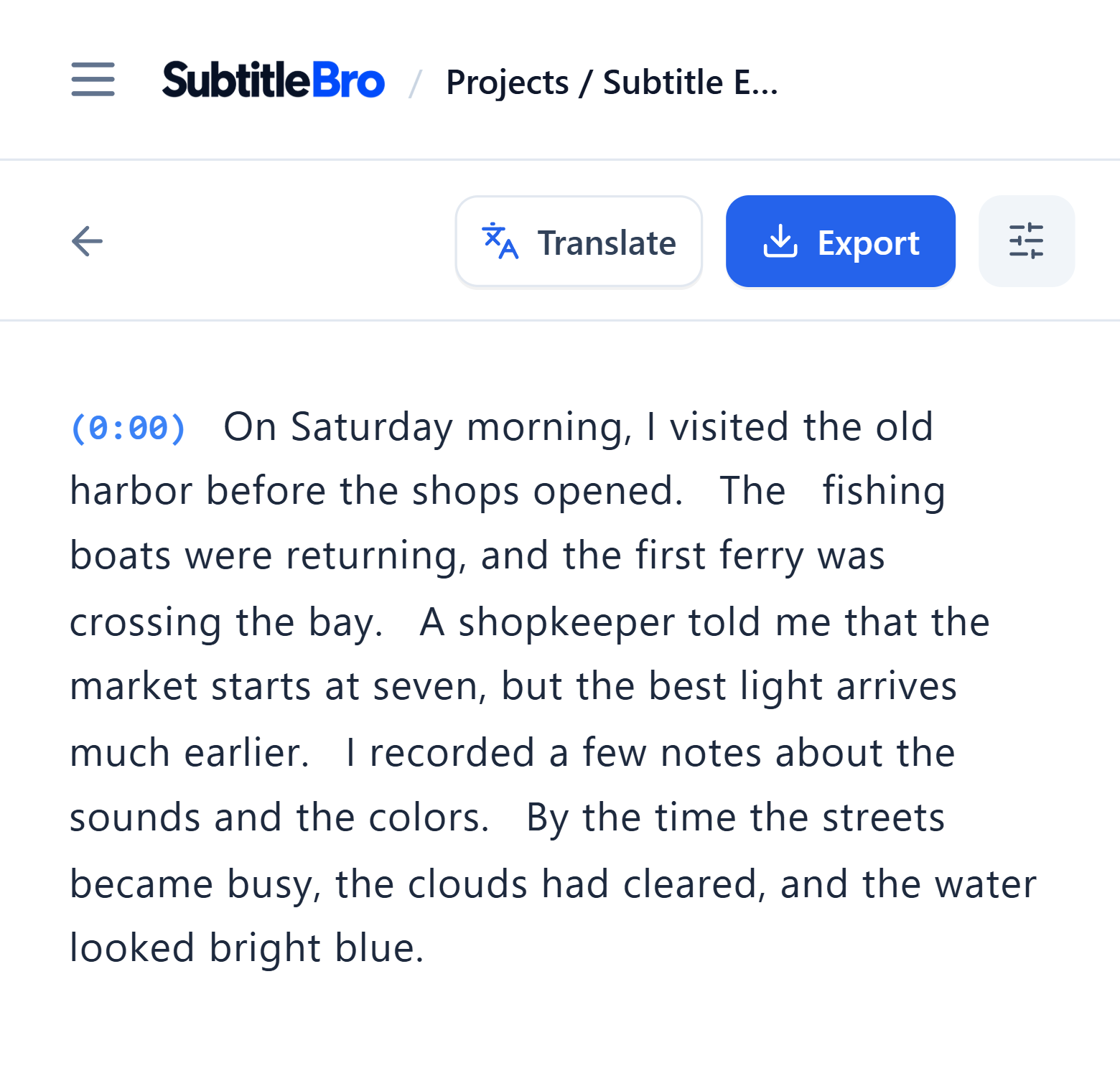
Check names and quotes against the audio
Timestamps take you to the relevant point in the recording. Replay an unfamiliar name or quoted line, then correct its text in the editor.
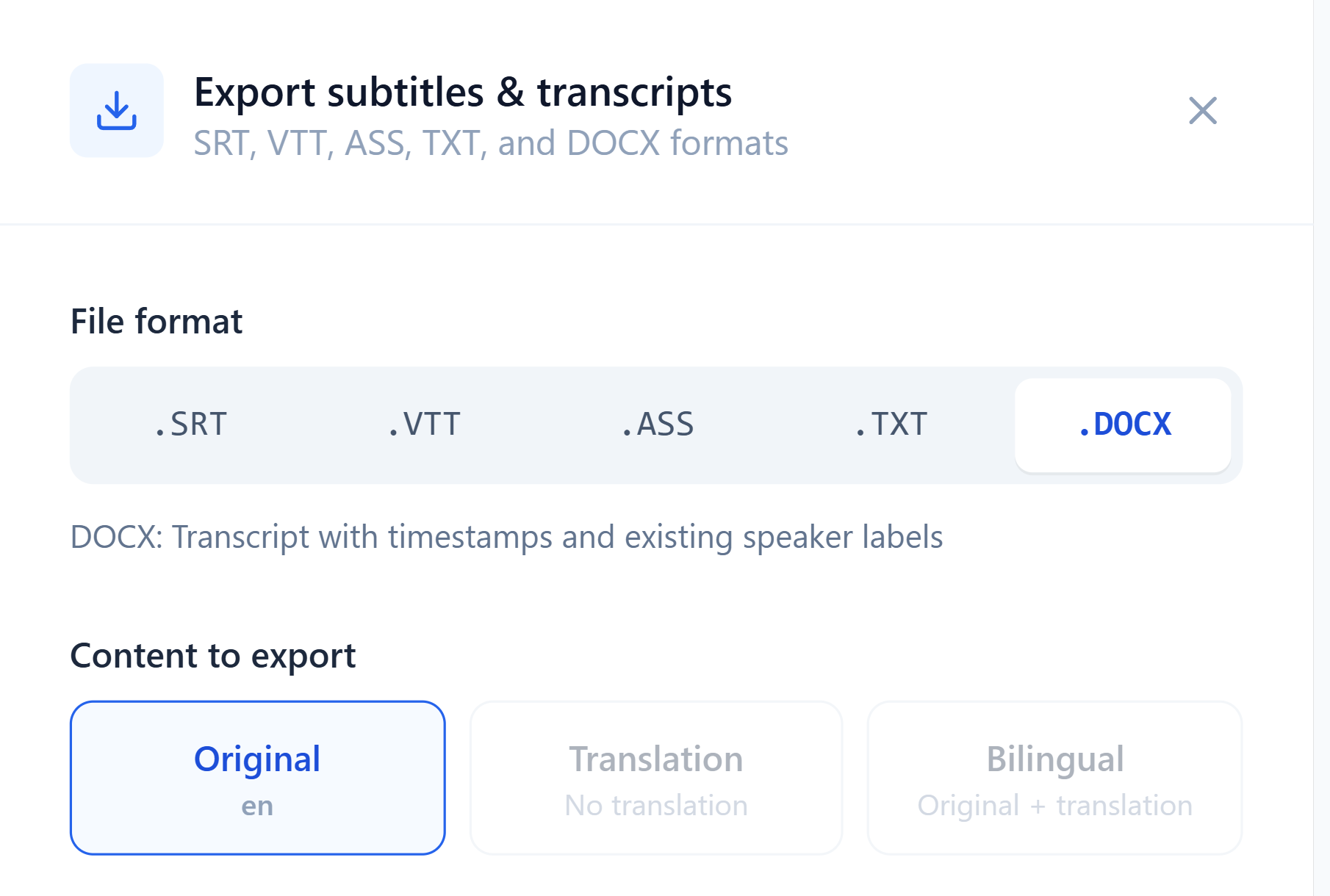
Plain text or a timestamped Word document
TXT: Read the spoken words in order as plain text for notes or quotations.
Word (DOCX): Keep timestamps and any existing speaker labels for review and comments in Word.
Find the line you need in your next recording
Quote an interview accurately or return to a key point from a lesson in the transcript.